Integrations

Works with what you already use.

BIR, your mall, your accounting system, your AI assistant and your payment partners.

Sound familiar?

  • BIR wants your invoices sent electronically.
  • The mall wants your sales every day.
  • Head office encodes POS sales into the ERP again.
  • Customers want to pay with their phone.

What fixes it.

ESP accreditation pending

BIR e-Invoicing

Sends every invoice to BIR's Electronic Invoicing System (EIS) and delivers a digital copy to your customer.

You need this ifBIR has told you that your business must send its invoices electronically.

  • Enrolment and onboarding done for you
  • Invoices sent and tracked automatically
  • Customers open the invoice from the QR on their receipt, or get it by email

What you gainInvoices go to BIR and to your customer automatically, without extra staff or a new system.


Mall Sales Sending

Your daily sales sent from the POS to your mall, for SM, Ayala, Robinsons and Megaworld.

You need this ifYour store is in one of these malls and it asks for daily sales reports.

  • Mall integrations: SM, Ayala, Robinsons and Megaworld
  • Set up for your store and your mall
  • Sent from your POS, no manual reports

What you gainNo mall sales report to prepare by hand.

A separate monthly service per POS terminal.

ERP Integration

Connects zenpos.co to the ERP your head office already uses. We build it.

You need this ifYour head office uses SAP Business One, Microsoft Dynamics 365, NetSuite, Odoo or another ERP.

  • Product and customer masters from your ERP
  • Sales posted to your ERP every day
  • Stock look-up between the two
  • Or use our open API yourself

What you gainNo encoding the same data twice.

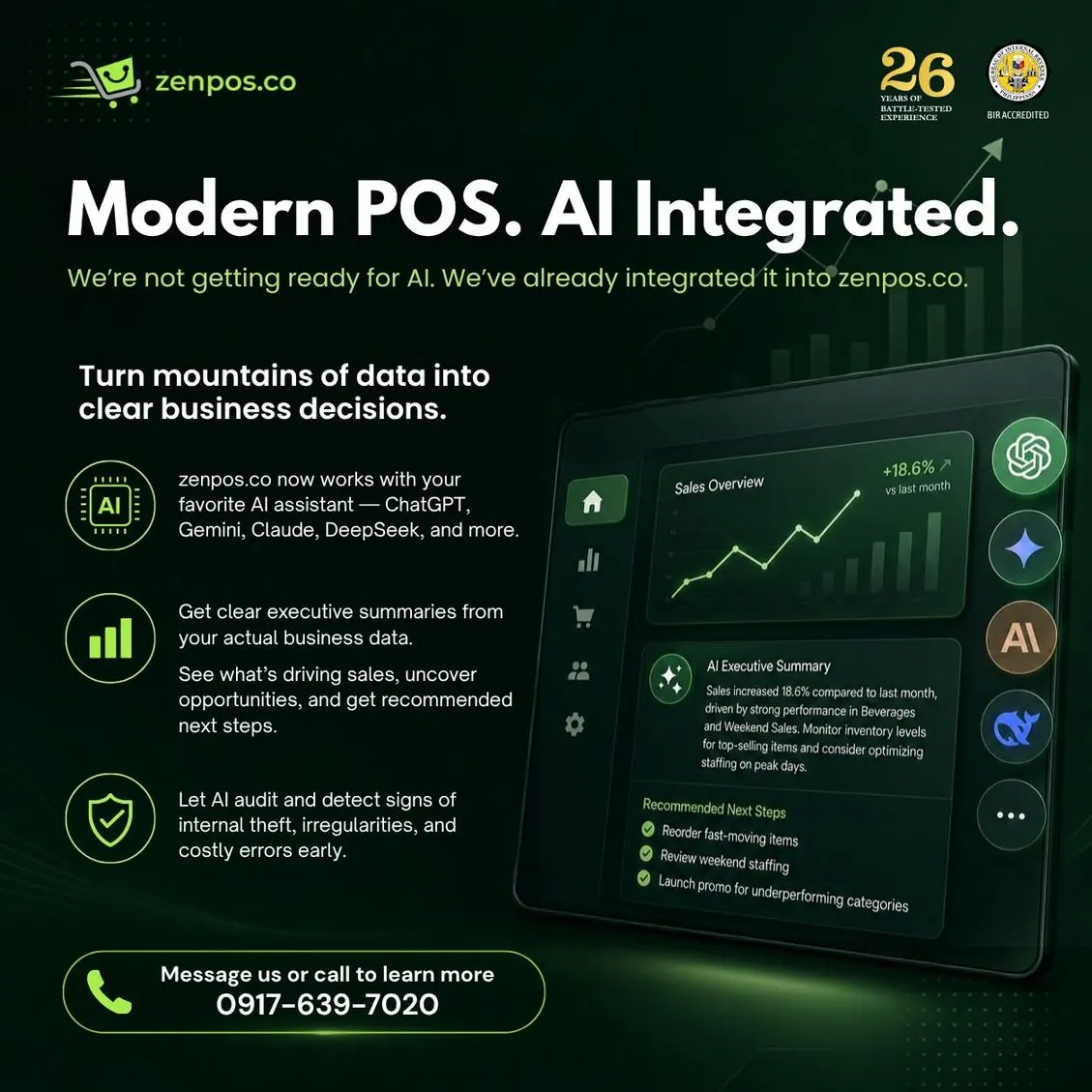
AI summary of store sales

AI Integration

Connects your sales data to the AI assistant you already use: ChatGPT, Gemini, Claude, DeepSeek and others.

You need this ifYou have the reports but no time to read them, or you worry about missed sales, suspicious voids and costly errors.

  • A plain-language monthly summary based on your real sales
  • What drove sales, and suggested next steps
  • Flags signs of theft, odd voids and costly errors early

What you gainClear decisions from your own data, without a data analyst.

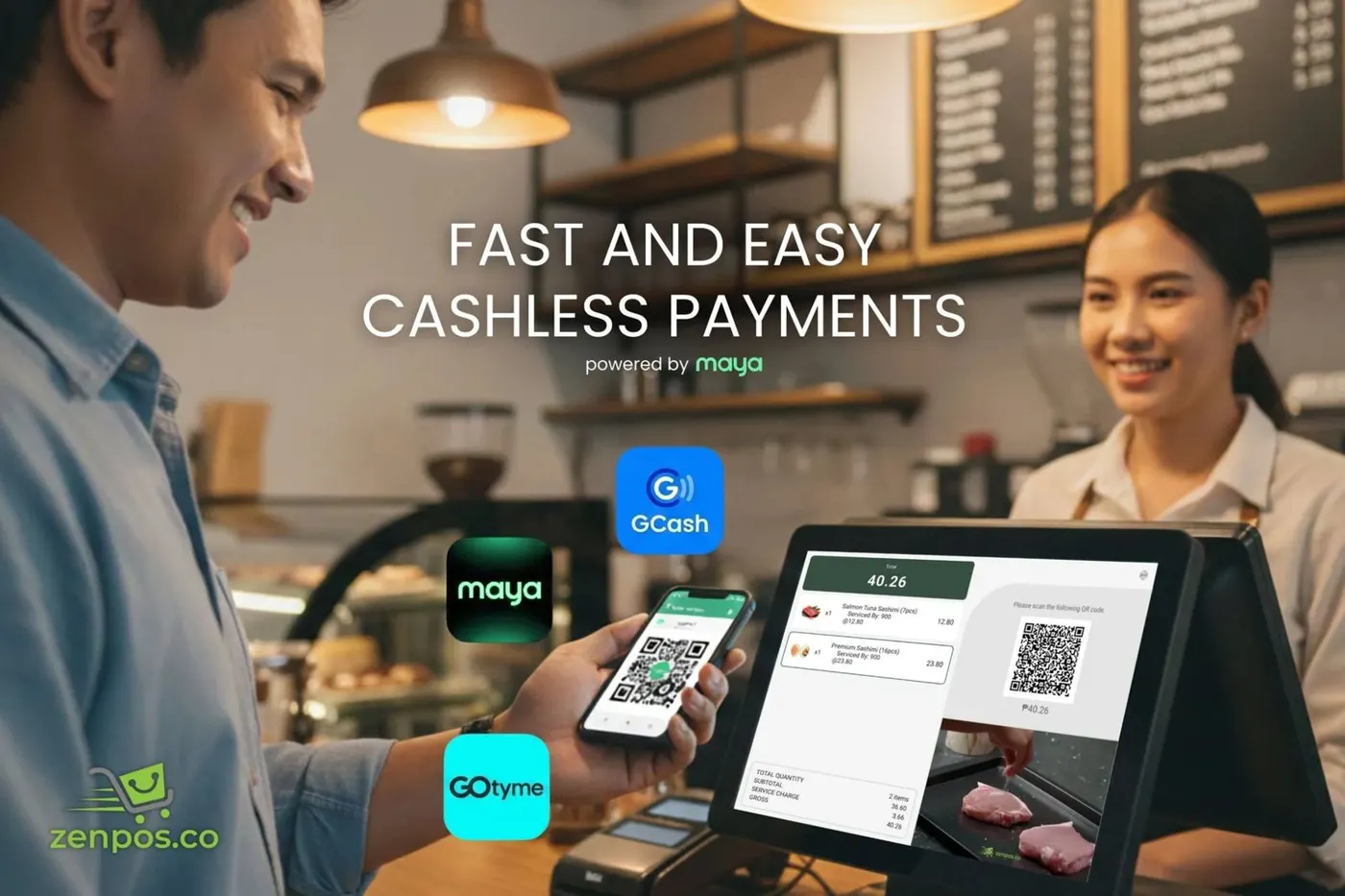
Customer paying by QR at the counter
Free with every POS plan

Maya QR Payments

The POS terminal shows a QR code, the customer pays with their e-wallet or bank app.

You need this ifCustomers ask to pay with GCash, Maya or their bank app.

  • QR Ph, so most e-wallets and banks work
  • Payment confirmed on the POS, no screenshots

What you gainNo fake payment screenshots, and less cash to count.

Maya transaction fees apply.

Free with every POS plan

Card Payments

Your card terminal is connected to the POS, so the amount is sent for you.

You need this ifYou type the sale total into the card terminal by hand, or check card payments against the bank later.

  • No typing the amount twice
  • The approval prints on the receipt

What you gainNo wrong amounts keyed in, and card sales match your bank.

Needs a card terminal and a bank account.

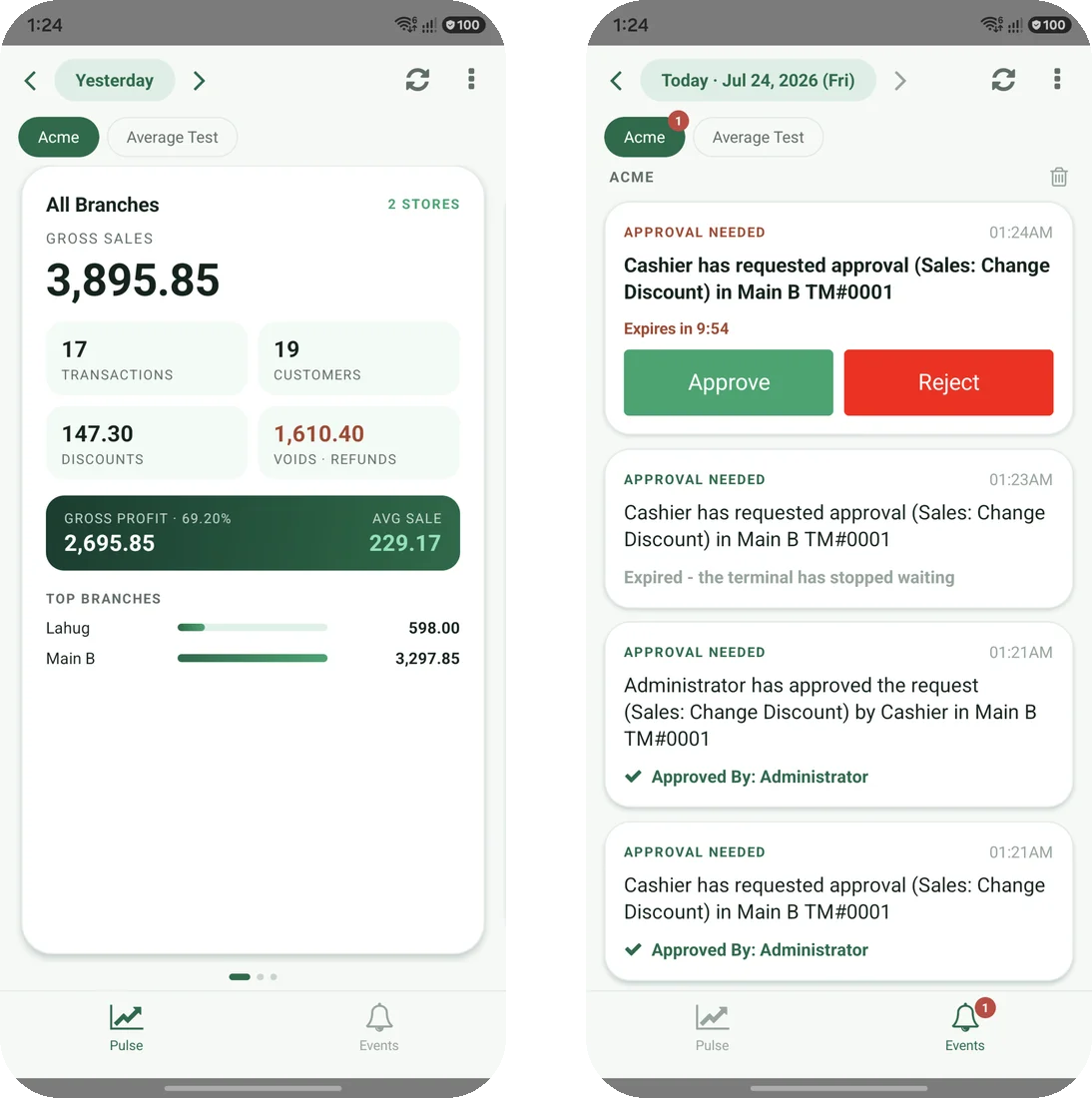
Owner's app showing branch sales and a void approval
Free with every POS plan

EA Owner's App

Keeps you in control, even when you are not at the store.

You need this ifYou manage branches but cannot be at every store to check sales and approve voids.

  • A notice when a cashier gives a discount or voids an item
  • Approve voids from your phone
  • Sales snapshot per branch, today against yesterday
  • Store reports, cashier shifts and readings

What you gainYou see sales and approve voids and discounts without being at the store.

Start with one POS plan.
Add the rest when you need it.

Every product here runs on the same POS terminal and the same head office. Prices are in our catalog.