
zenpos.co
Updated November 2026
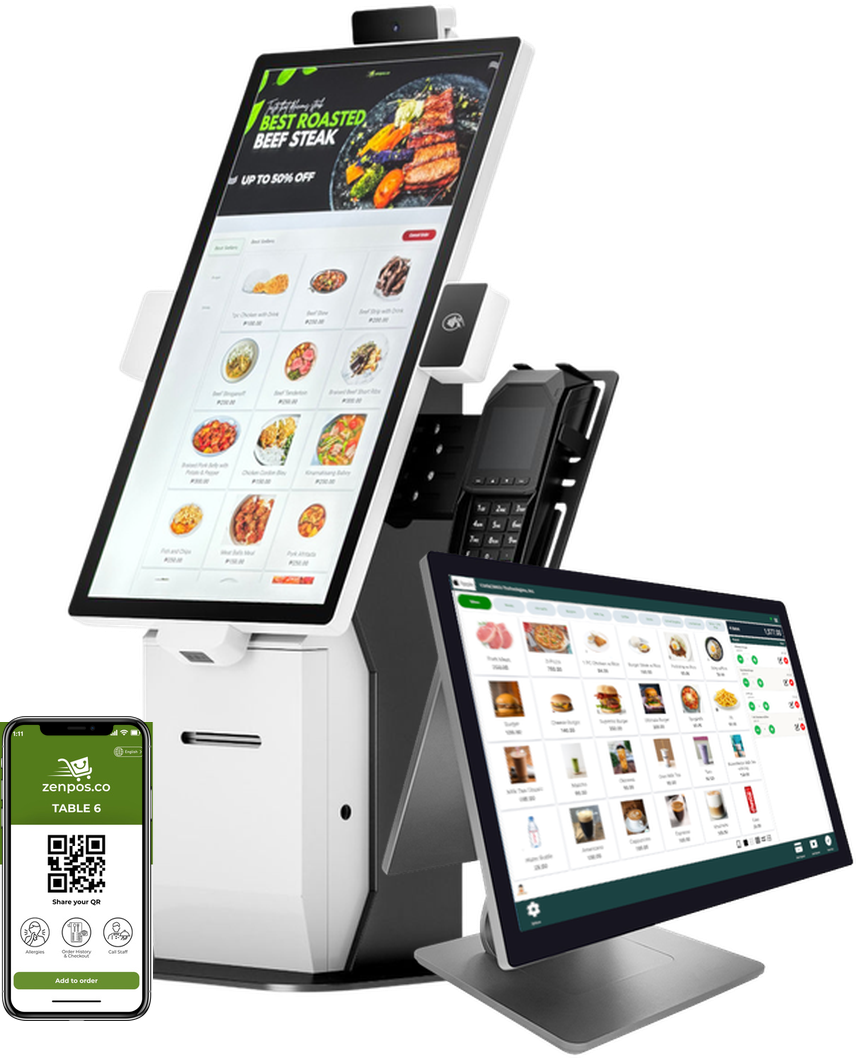
zenpos.co POS terminal, self-service kiosk and mobile ordering
2026

SoftwareCatalog

Pick what you need now. Add more later.
Everything here runs on the same POS terminal and the same head office.
BIRBIR accredited
Mall integrations
Ayala MallsSMMegaworldRobinsons
Runs on
Windows, macOS, Android (Google Play) and iOS (App Store)
CONTINUOUS
IMPROVEMENT

We have improved zenpos.co year after year. AI-assisted development now helps us build, test and refine improvements faster than ever.

394
2023394 improvements
Hub ServerKDS & QueueMall Integrations
495
2024495 improvements
Franchise SystemPartner APINetSuite IntegrationGiyaPay & MayaQR OrderingLoyalty
505
2025505 improvements
Executive BriefingFuel Pump & Tank GaugeMaya QR Payments
AI-ASSISTED
1,830
20261,830 improvements, to Nov 18
Mall Tenant (MTMS)Shopify IntegrationAutoCount IntegrationOrder ManagementBIR e-InvoicingBookings & QueueOwner's AppAI InsightsParkingCloud POSPharmacy
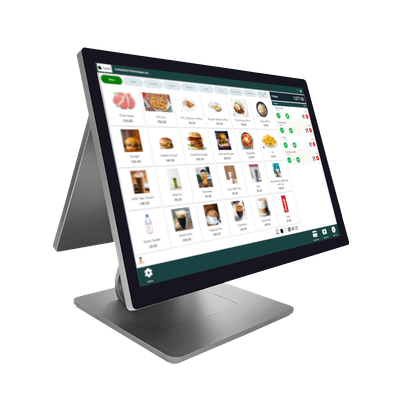
Desktop POSDesktop POS
or
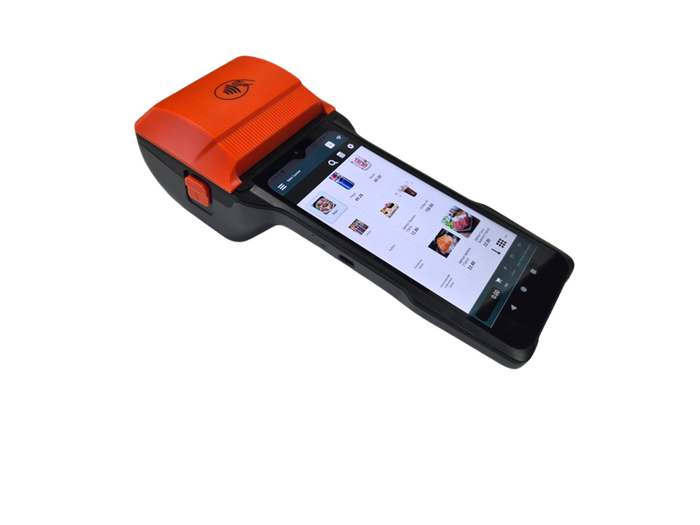
Handheld POSHandheld POS
Same software. Same plan price.

POS Starter

Basic cashiering (sales module): sell, print BIR receipts and close the day.

You need this ifYou run one store and mainly need to sell and stay BIR-compliant.
  • Sales, receipts, X and Z readings, BIR reports
  • 1 head office user, cloud back office
  • 4 hours of one-on-one training and setup
What you gainBIR receipts and readings from day one.

POS Enterprise

Everything in Starter, plus:
📦InventoryStock per branch, transfers, counts, recipes
🧾PurchasingPurchase orders and supplier receiving
📱Web QR OrderingGuests order from their phone, no app
Training4 → 8 hours
Head office users1 → 3 users
KDS, display or printer1 → 3
You need this ifYou keep stock, buy from suppliers, run more than one branch, or want customers to order from their phones.
What you gainYou see what stock you have and what goes missing, so you buy only what sells.
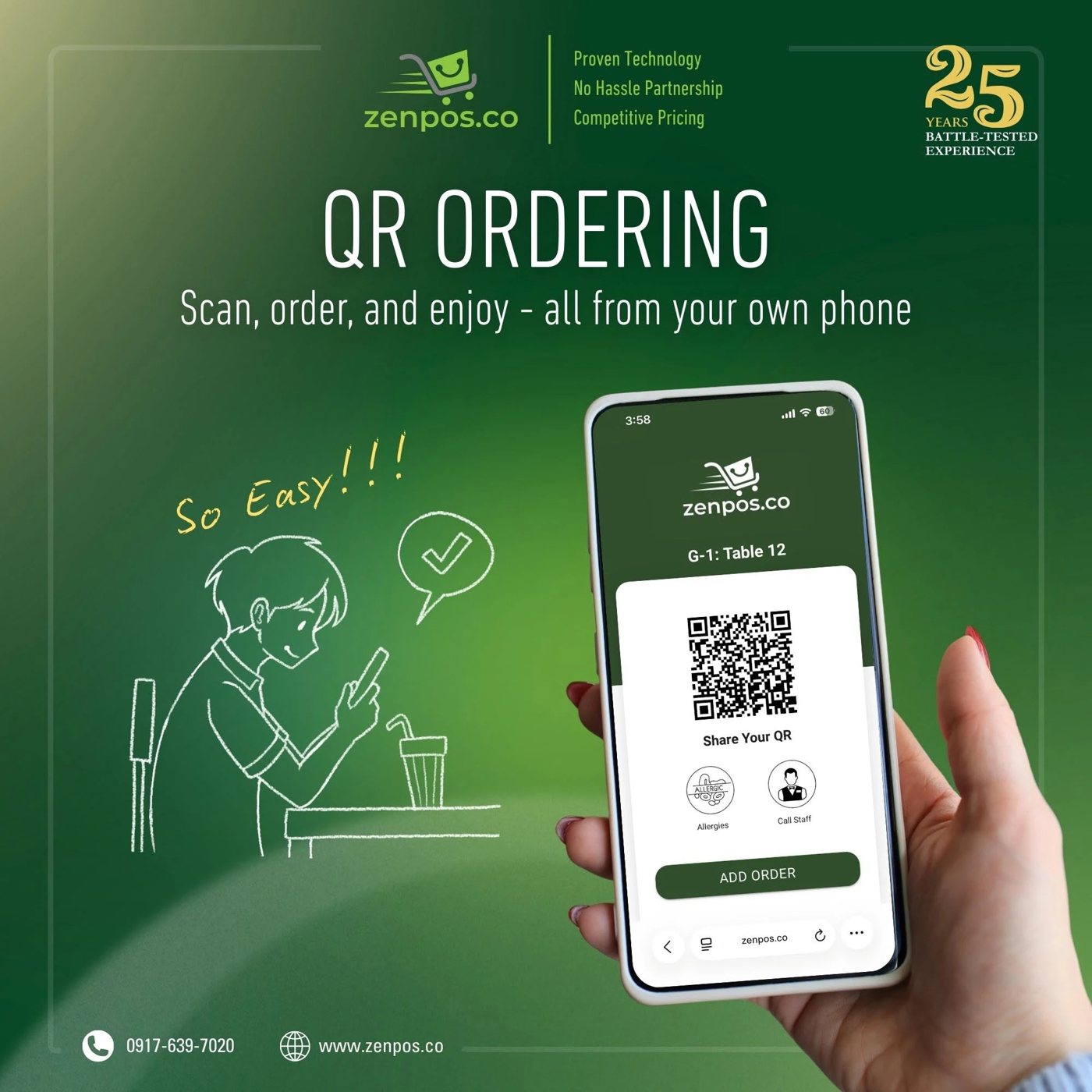
QR ordering on a guest's phone

Web QR Ordering

Guests scan the QR code on the table, order from their own phone, and the order goes to the kitchen.

You need this ifYour guests wait for a waiter just to place an order.
  • Your menu with photos and add-ons
  • No app to download
  • Guests can call staff or note allergies
  • Orders arrive at your POS terminal and kitchen
What you gainYour staff spend less time taking orders and more time serving.
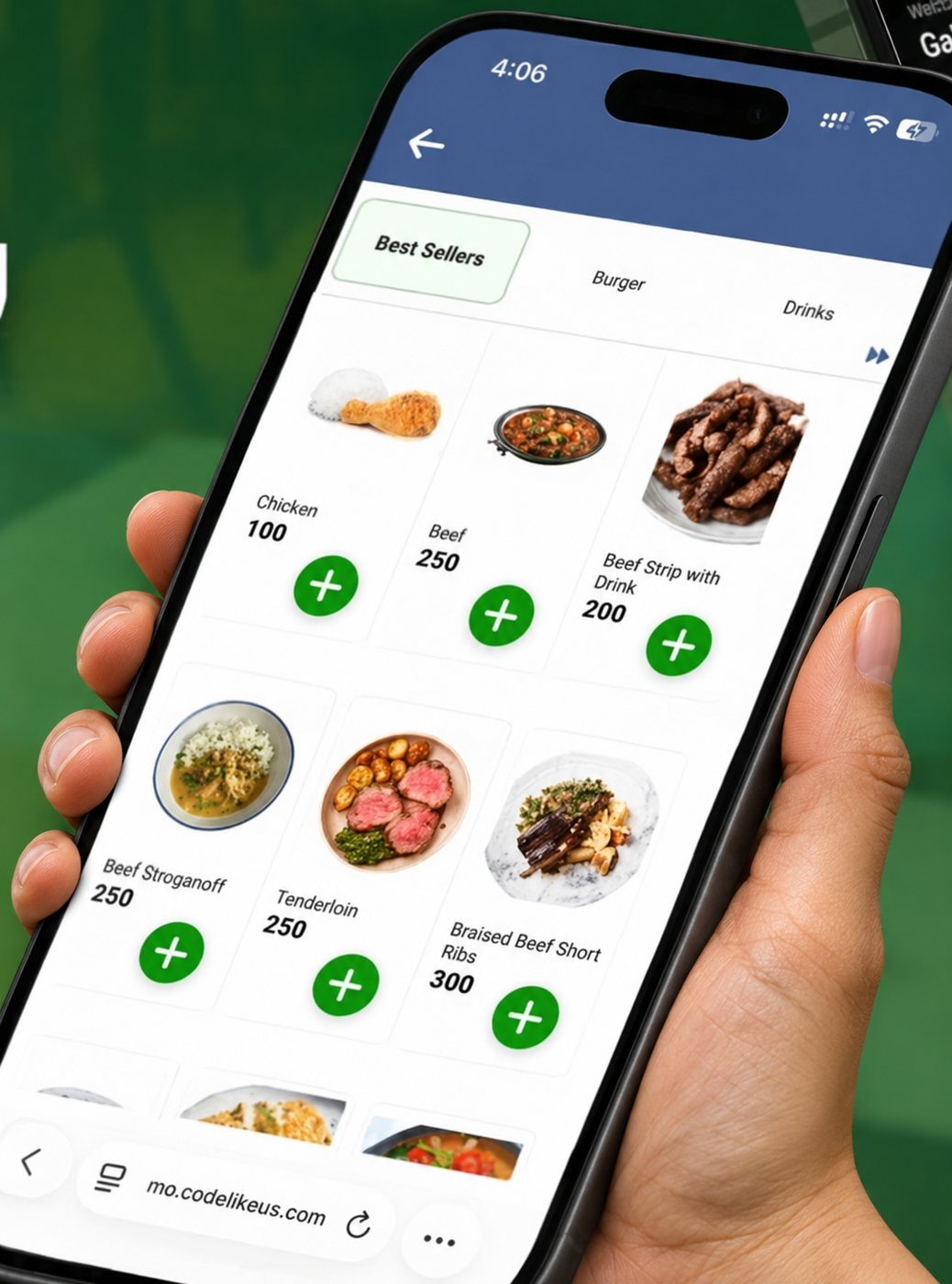
Order-ahead menu on a phone, held in a hand

Click & Collect

Customers order online and pick up at your counter.

You need this ifCustomers call or message you to order ahead for pick-up.
  • Order page linked to your POS menu
  • Pick-up time and ready alerts
  • Works with Loyalty points
What you gainYou get orders from people who would not wait in line.
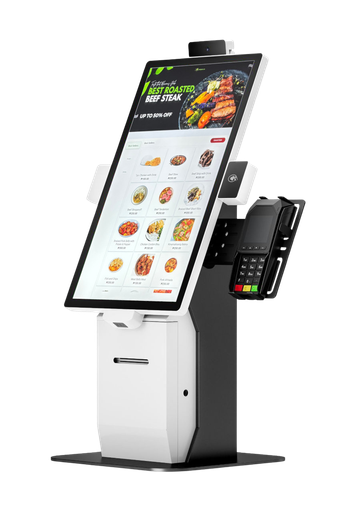
Self-service kiosk

Self-Service Kiosk

Customers tap to order and pay at a kiosk. For restaurants and quick-serve.

You need this ifYour counter gets long lines and you want more orders without more cashiers.
  • Menu with photos and add-ons
  • Every order is offered add-ons
  • The order goes to the kitchen and the queue screen
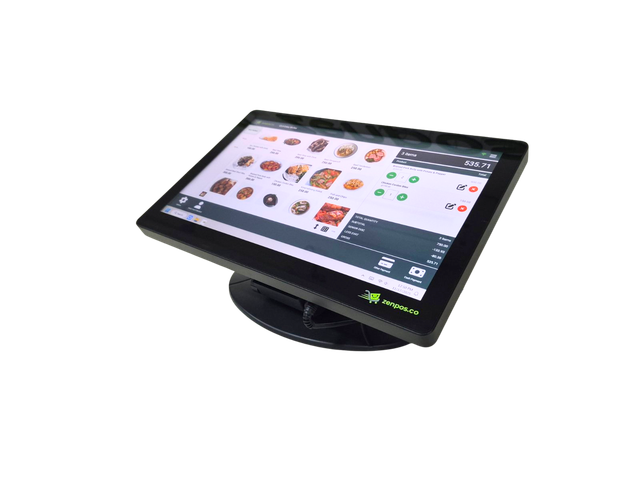
What you gainShorter lines, and every customer is offered add-ons.
K2 POS terminal+
Self-order menu on the customer-facing screen

Self-Service Screen

Connect a big touch screen to your K2 POS terminal, and customers order on it themselves.

You need this ifLines build up at busy hours and you do not want to buy a full kiosk.
  • Customers tap their own order on the big screen
  • Your cashier keeps working on the K2
  • Same menu, prices and kitchen orders as your POS
What you gainOne POS terminal works as a cashier and a kiosk.
INCLUDED WITH EVERY POS PLAN
NEW
#1242 Burger · 1 Fries
#1251 Ramen
PREPARING
#1221 Steak · 1 Rice
#1233 Iced Tea
READY
#1212 Pasta
INCLUDED

Kitchen Display

Orders show on a screen in the kitchen instead of paper slips.

You need this ifYour kitchen loses or misreads order slips.
  • Orders appear the moment they are rung up
  • Tap to mark an order done
  • Works with QR, kiosk and table orders
What you gainThe kitchen cooks in the right order, and nothing gets lost.
Starter
1 included
Enterprise
Up to 3
NOW SERVING
121
UP NEXT   122   123   124
PICK-UP
INCLUDED

Customer Display

A screen facing your customers.

You need this ifYou want customers to see their order and total, or know when their order is ready.
  • Shows items and total as you ring them up
  • Now serving numbers for pick-up
  • Your own photos and promos between sales
What you gainFewer mistakes at the counter, and fewer people asking if their order is ready.
Starter
1 included
Enterprise
Up to 3
Iced Latte       150.00
TOTAL           150.00
Free WiFi, 60 minutesK7M4QX

Smart WiFi

Free WiFi for paying customers only.

You need this ifYou offer free WiFi but people who buy nothing use it all day.
  • Buy something, get a WiFi code on the receipt
  • The code lasts for the minutes you set
  • No shared password to leak
What you gainYour WiFi serves your customers, and gives them a reason to buy.
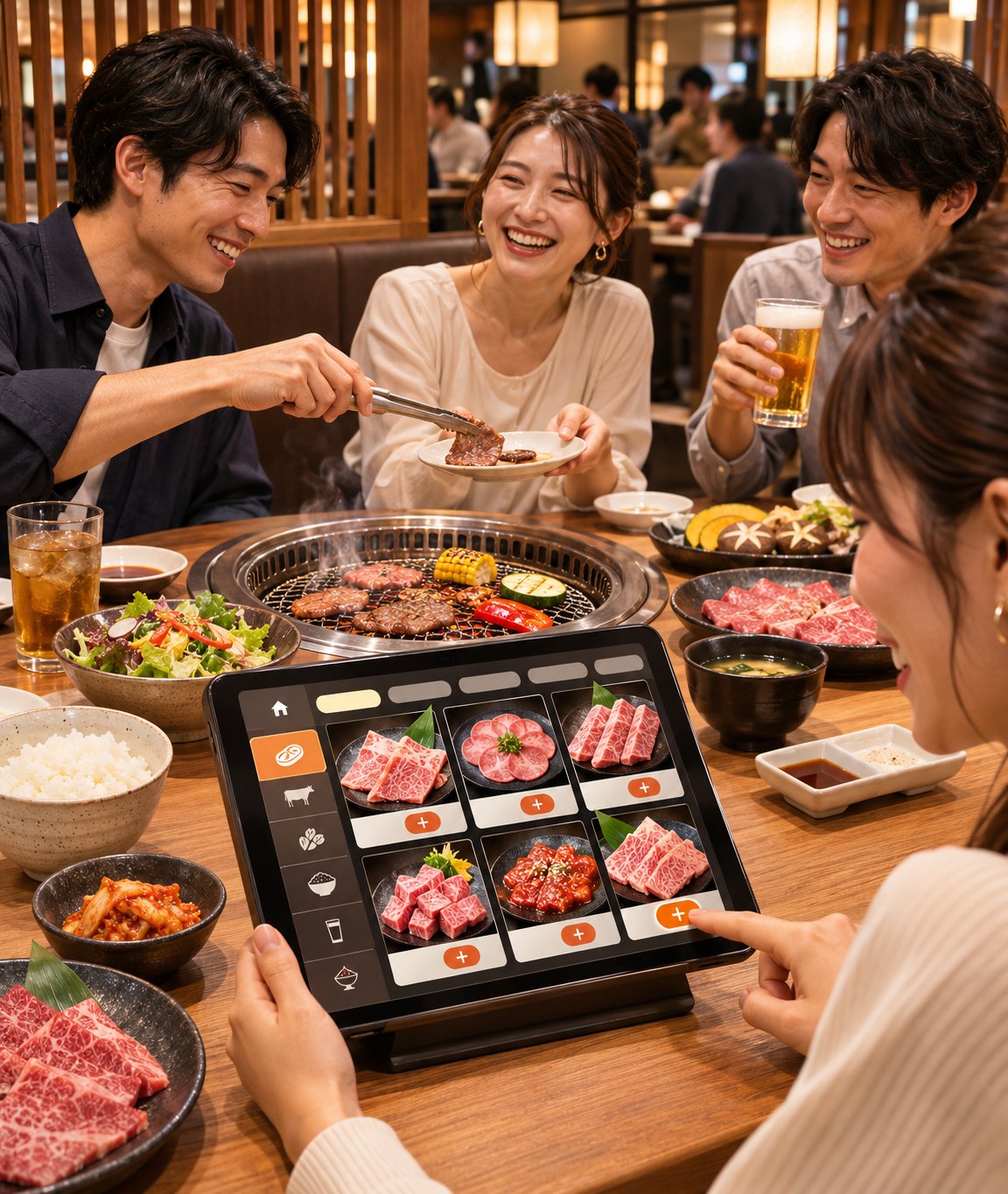
Diners at a yakiniku table ordering on a tabletop tablet

Tablet Ordering

Put a tablet on every table, like many restaurants in Japan.

You need this ifYou run a dine-in restaurant and guests wait to order, or orders get misheard.
  • Guests browse menu photos and choose add-ons
  • They send the order straight to the kitchen
Powered by InStore Suite, which also includesRemote order stationsOffline QR orderingMultiple KDSBookings & queue
What you gainGuests pick their own items and add-ons, so fewer wrong orders. Your staff serve guests instead of running back and forth.
FREE WITH EVERY POS PLAN
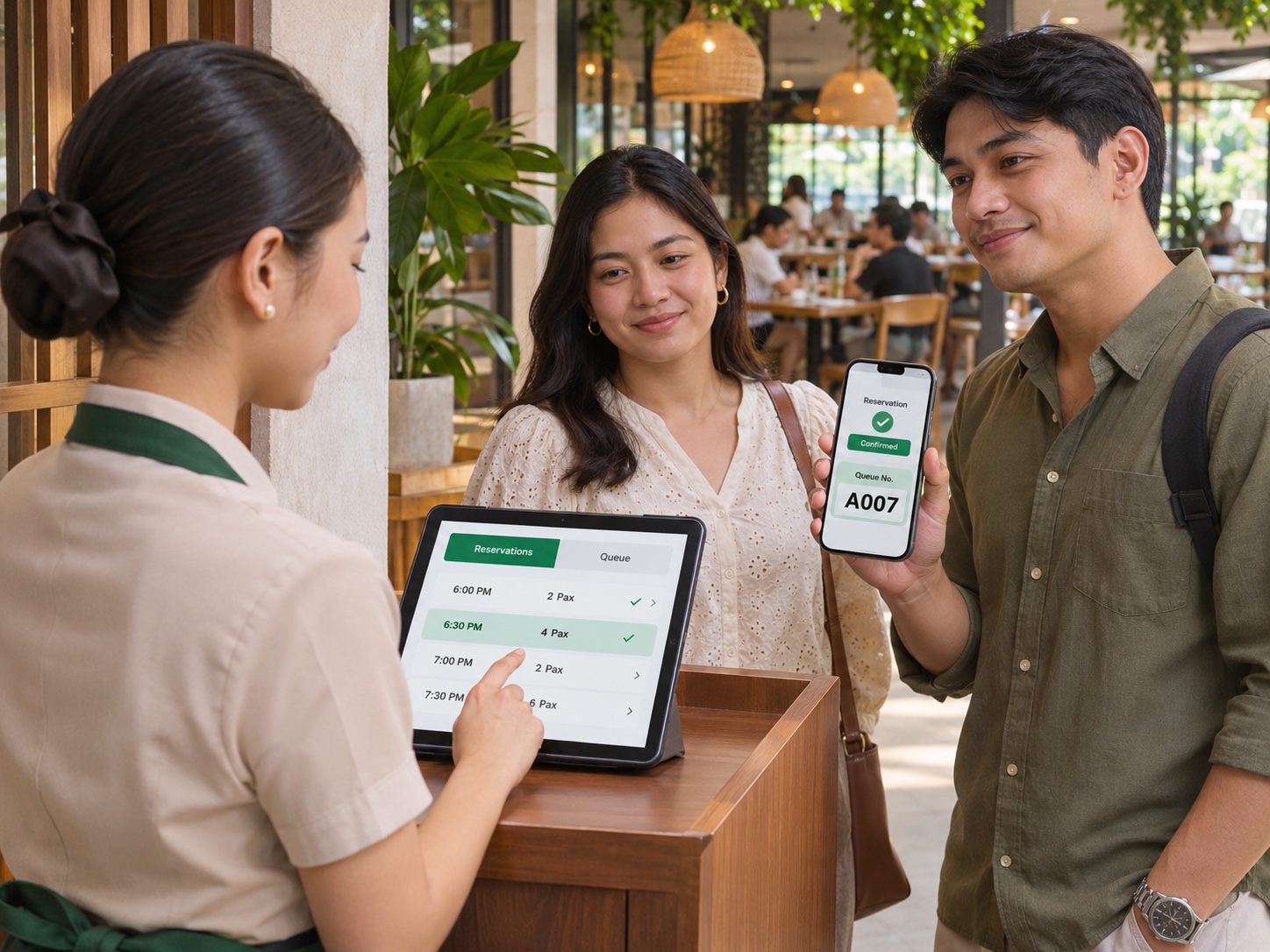
Host checking in guests on a tablet while the guest phone shows the queue number
FREE

Bookings & Queue

An online booking page and a walk-in queue.

You need this ifCustomers book appointments or tables, or wait in line at your door.
  • Booking page with your services and schedule
  • Walk-in queue tickets and a queue screen
  • Reminders so fewer no-shows
What you gainFewer no-shows, and no crowd waiting at the door.
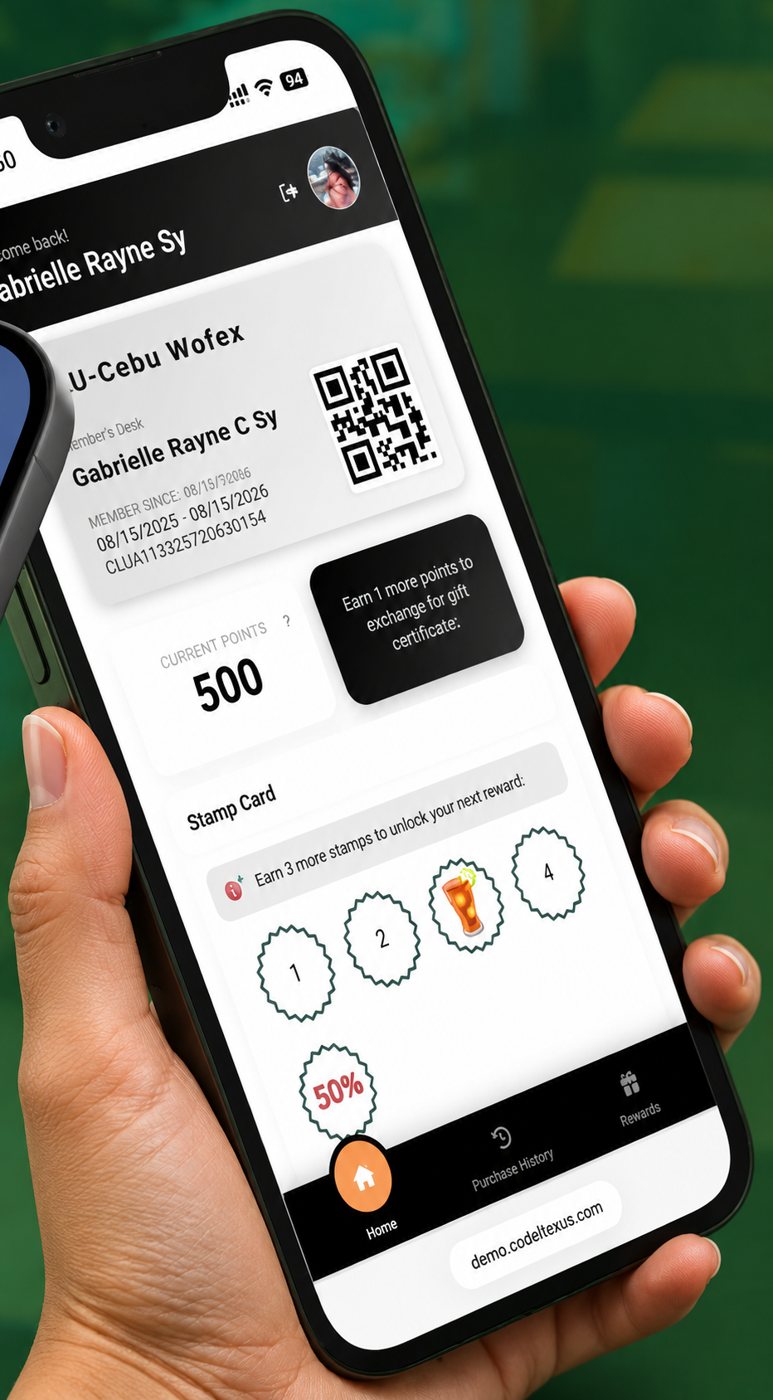
Member app with points and stamp card, held in a hand

Loyalty Program

Bring regular customers back with points, stamps, tiers and gift certificates.

You need this ifYou have regular customers and want them to come back more often.
  • Members sign up with a QR code
  • Earn and redeem at any branch
  • Member reports for your marketing
What you gainYou know who your regular customers are and give them a reason to return.
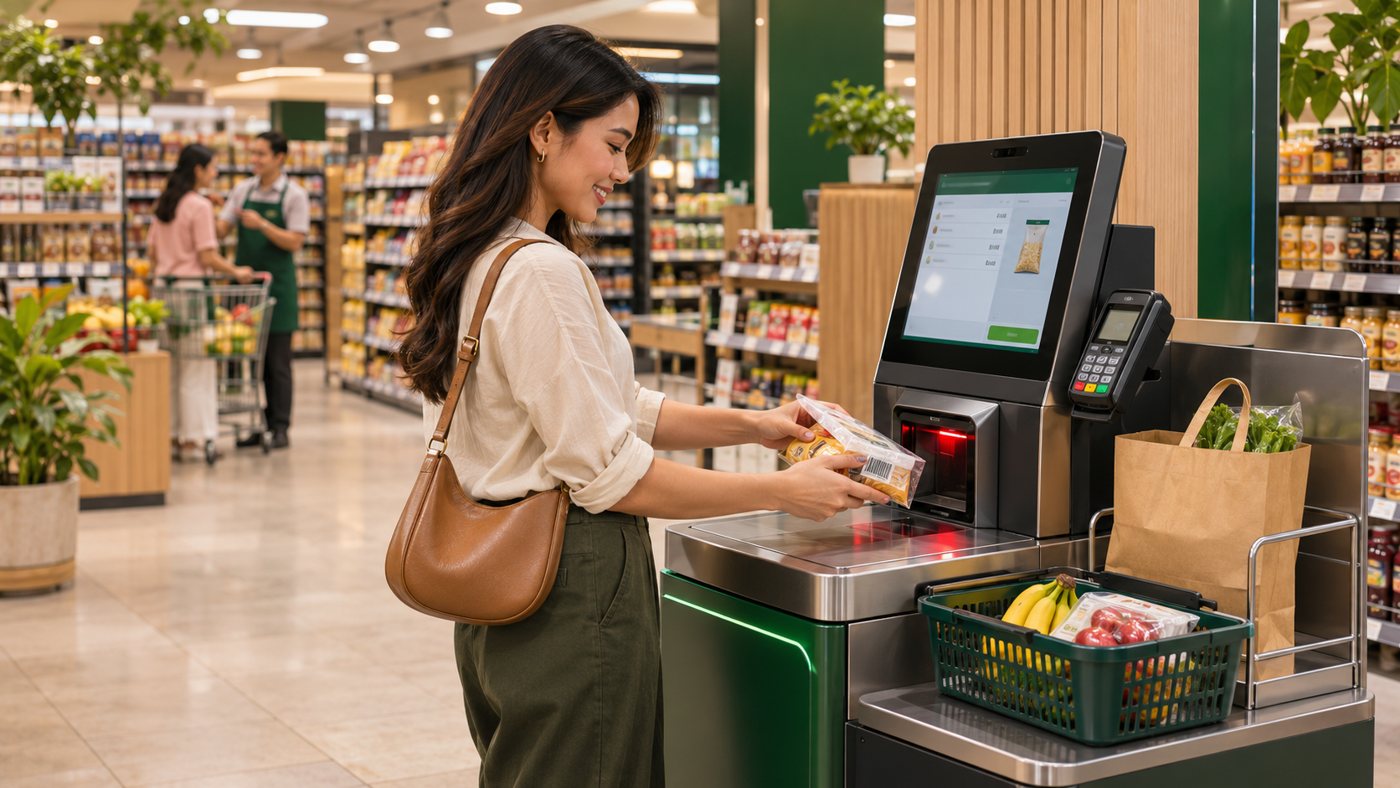
Customer scanning an item at a self-checkout kiosk

Self-Checkout

Customers scan their own items and pay. For groceries and retail.

You need this ifYou run a grocery or retail store with barcoded items and lines at the cashier.
  • Customers scan barcodes and pay on their own
  • Same products and prices as your POS
  • Needs a self-checkout kiosk with a scanner
What you gainShorter lines at the cashier with the same staff.
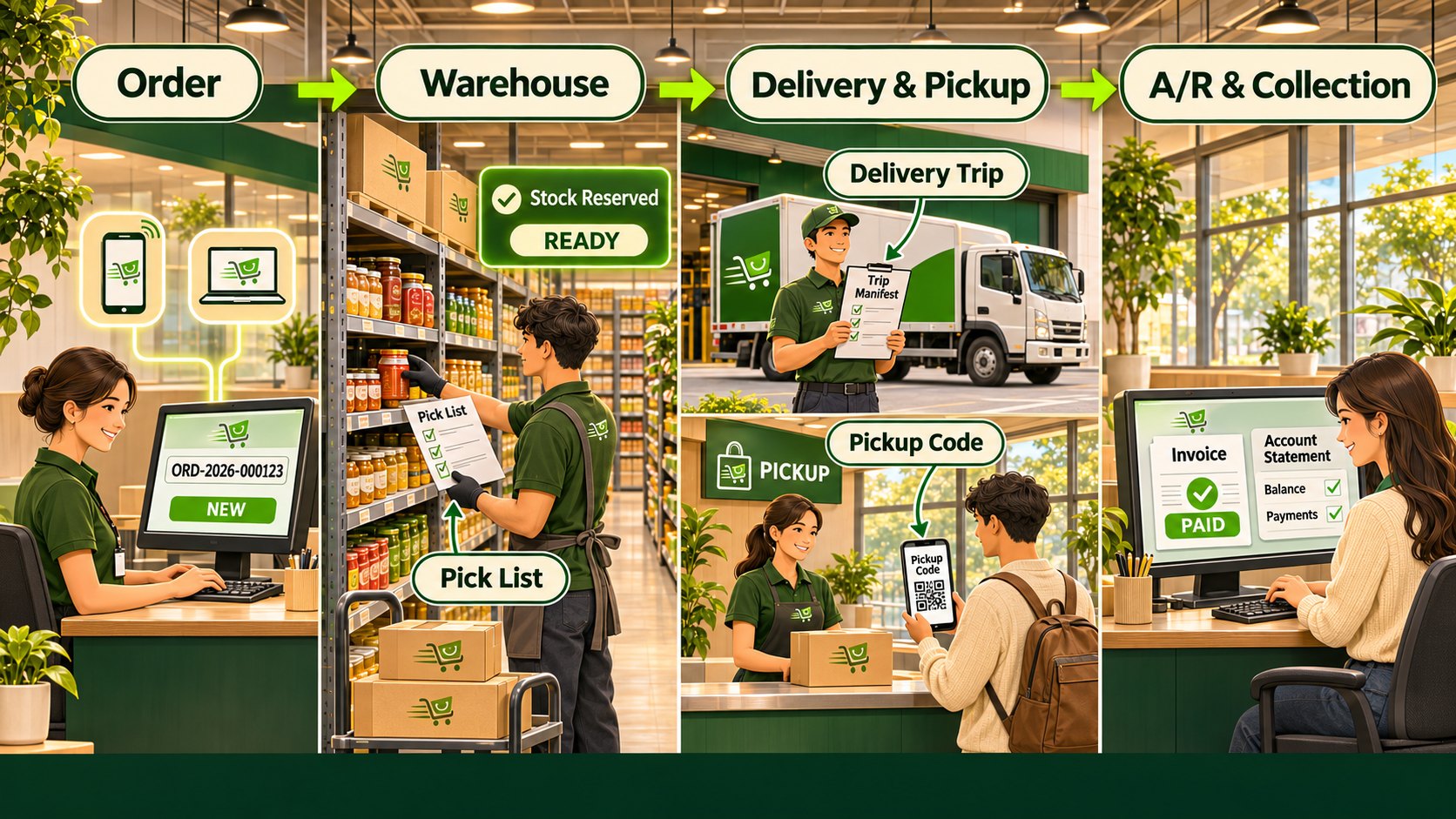
Order, warehouse with pick list, delivery trip or pickup code, then invoice paid and account statement

Orders

  • Quotation to order, with stock reserved
  • Pick lists for the warehouse
  • Delivery trips with manifest, or pickup with a code
  • Paid and invoiced at the end

Collection

  • Charge accounts with terms and credit limits
  • Statements by billing cycle
  • Payments posted to each account
  • Trip cash and end-of-day reports

Orders & Collection

Every order from booking to delivery, and every peso until it is collected.

You need this ifYou take orders by phone, chat or sales visit, deliver from a warehouse, or let customers pay on account.
What you gainNo order is forgotten, every delivery is tracked, and you know who still owes you.
Shopify+zenpos.co
Your Shopify store, connected to your POS

Online Store

We set up your Shopify store and connect it to your POS.

You need this ifYou want to sell online with delivery or pick-up, from the same stock as your store.
  • Products, prices and stock come from your POS
  • Online orders arrive at your POS terminal
  • An invoice for every completed online sale
  • Pro adds picking, delivery and pick-up tracking
What you gainOnline and store sales share one stock count and one set of books. No commission per order.
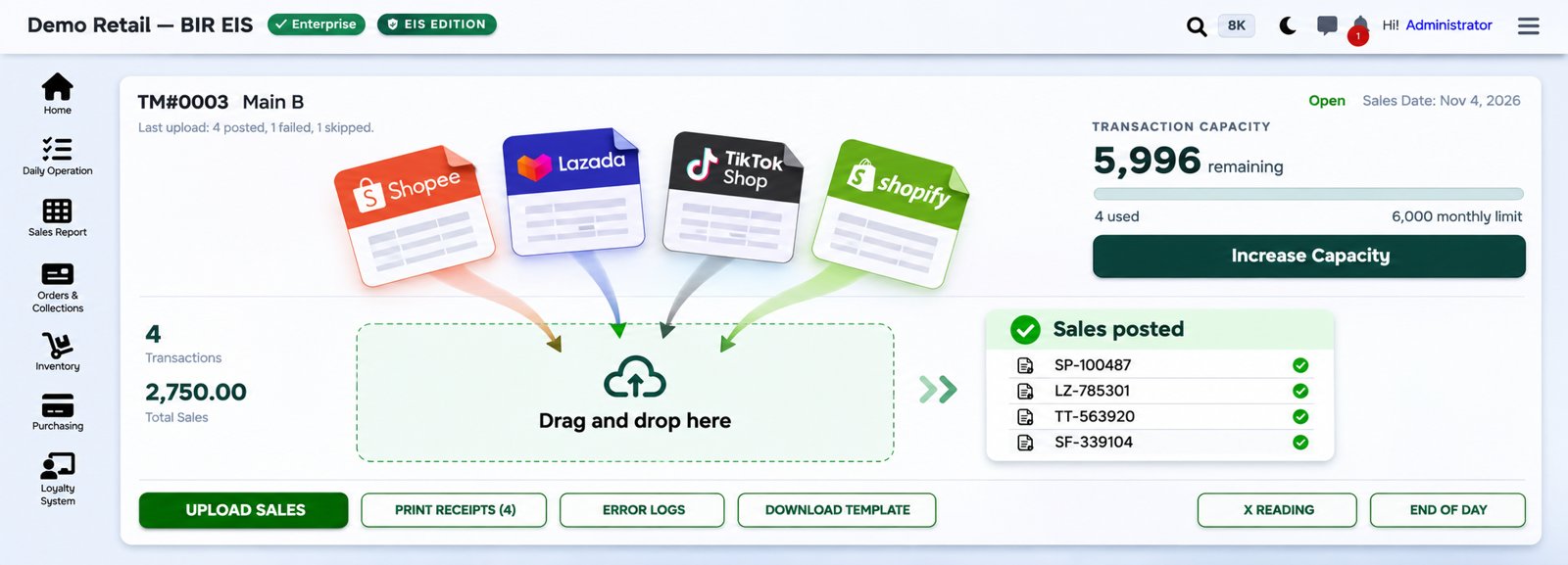
Shopee, Lazada, TikTok Shop and Shopify orders dropping into the upload screen and posting as sales

Marketplace Import

Bring Shopee, Lazada and TikTok Shop orders into your POS, stock and BIR reports.

You need this ifYou sell on Shopee, Lazada or TikTok Shop.
  • Upload the marketplace file and you are done
  • Sales, stock and BIR reports in one place
  • A4 invoices printed or emailed
What you gainNo retyping. Marketplace sales show in your sales and BIR reports.
PARKING SLIP
Plate         ABC 1234
In            08:12 AM
Out           11:40 AM
3 h 28 m₱110.00

Parking System

Entry, exit and the parking fee, on the same POS terminal as your counter sales.

You need this ifYou run a car park and fees are worked out by hand, tickets get lost, or the day's cash is hard to check.
  • Rates with a free period, overnight charge and daily maximum
  • Slip with a QR code, or plate number entry
  • Discounts and violations with a reason, plus a log of every entry and exit
What you gainEvery car in and out is recorded and every fee is computed the same way.
25.40 LFuel pump
litres, amount
POS terminalPOS terminal
tank stock
72% fullTank gauge (ATG)

POS for Gasoline Station

A POS made for fuel stations. Your pumps send each sale straight to the POS terminal, and the tank gauge shows the stock in every tank.

You need this ifYou run a fuel station and key pump sales by hand, or cannot explain the difference between pumps and tanks.
  • Pump sales arrive at the POS, no retyping of litres
  • Pump meter readings recorded, so totals can be checked
  • Pumps can stay locked until Start of Day
What you gainPump sales, tank stock and cash all match, so missing fuel shows early.
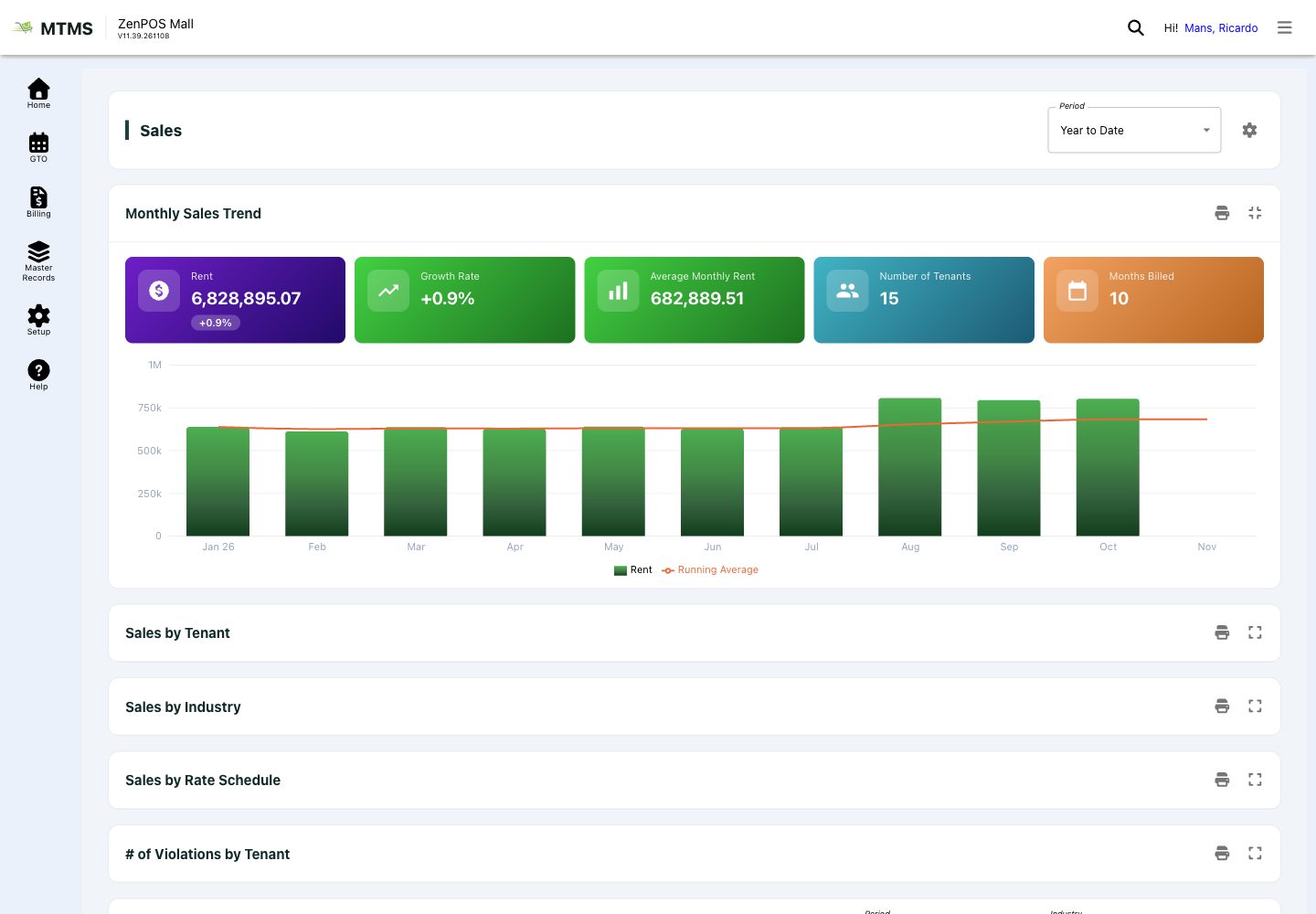
Mall tenant dashboard

Mall Tenant System

For mall and arcade operators. Rent, tenant sales and collections in one place.

You need this ifYou run a mall and collect sales reports from your tenants.
  • Fixed rent and revenue-based rent
  • Daily check of every tenant's sales report
  • Billing, collections and sales performance
What you gainCorrect percentage rent without chasing tenants for their sales.
BIRBIR EIS
sent to BIR
INVOICE
₱1,250.00
Your invoice
to your customer
✓
Invoice received
Customer's phone
ESP accreditation pending

BIR e-Invoicing

Sends every invoice to BIR's Electronic Invoicing System (EIS) and delivers a digital copy to your customer.

You need this ifBIR has told you that your business must send its invoices electronically.
  • Enrolment and onboarding done for you
  • Invoices sent and tracked automatically
  • Customers open the invoice from the QR on their receipt, or get it by email
What you gainYou meet the BIR rule without extra staff or a new system.
zenpos.coPOS + head office
⇄
Your ERPaccounting
SAP Business OneMicrosoft Dynamics 365NetSuiteOdooOther ERP, by API

ERP Integration

Connects zenpos.co to the ERP your head office already uses. We build it.

You need this ifYour head office uses SAP, Dynamics 365, NetSuite, Odoo or another ERP.
  • Product and customer masters from your ERP
  • Sales posted to your ERP every day
  • Stock look-up between the two
What you gainNo encoding the same data twice.
AI executive summary on the zenpos.co dashboard

AI Integration

Connects your sales data to the AI assistant you already use: ChatGPT, Gemini, Claude, DeepSeek and others.

You need this ifYou have the reports but no time to read them, or you worry about missed sales, suspicious voids and costly errors.
  • A plain-language monthly summary based on your real sales
  • What drove sales, and suggested next steps
  • Flags signs of theft, odd voids and costly errors early
What you gainClear decisions from your own data, without a data analyst.
FREE WITH EVERY POS PLAN
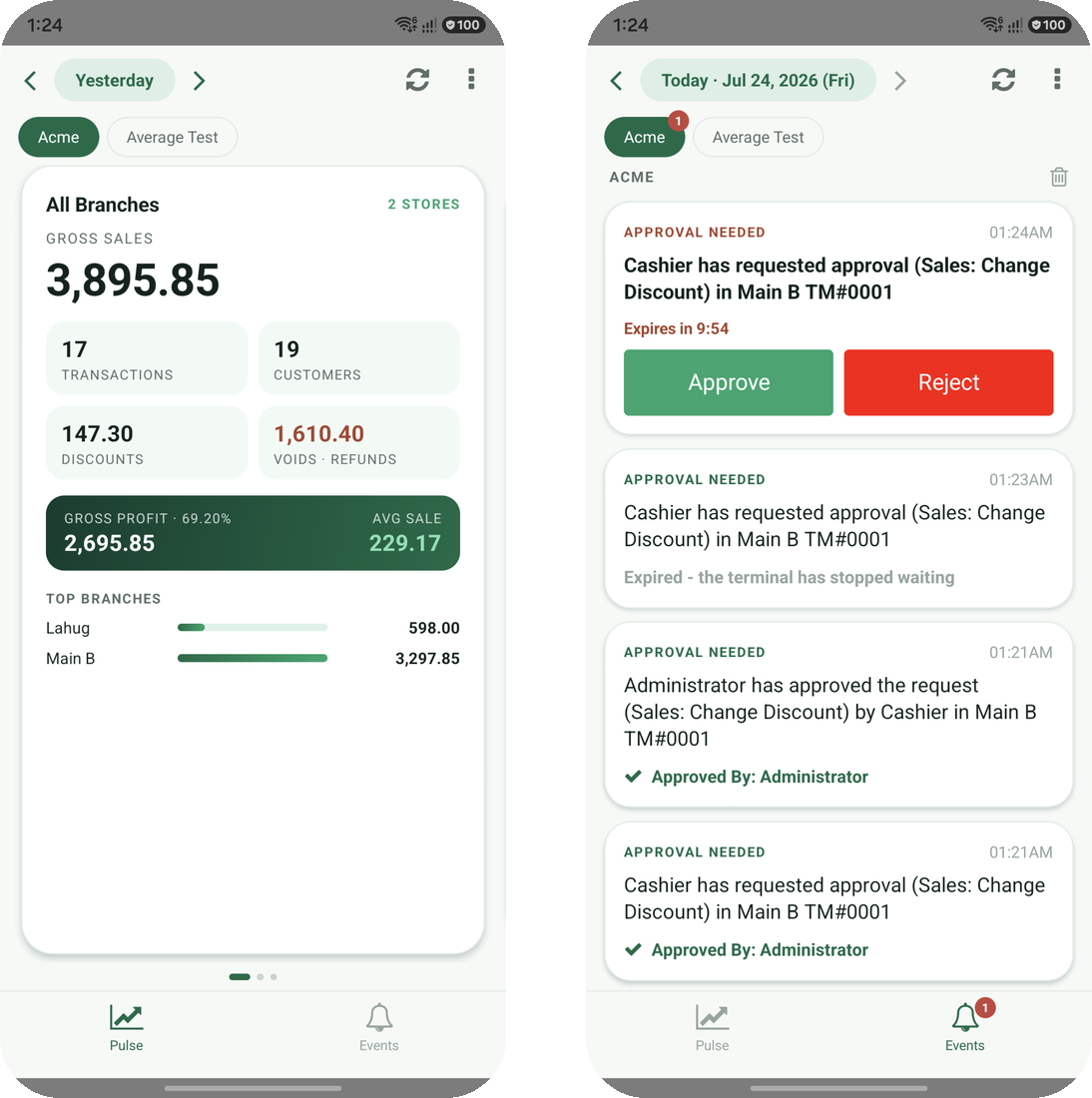
EA app
FREE

EA Owner's App

Keeps you in control, even when you are not at the store.

You need this ifYou manage branches but cannot be at every store to check sales and approve voids.
  • A notice when a cashier gives a discount or voids an item
  • Approve voids from your phone
  • Sales snapshot per branch, today against yesterday
  • Store reports, cashier shifts and readings
What you gainYou see sales and approve voids and discounts without being at the store.
Included
with every zenpos.co POS plan
Google Play and App Store
FREE WITH EVERY POS PLAN
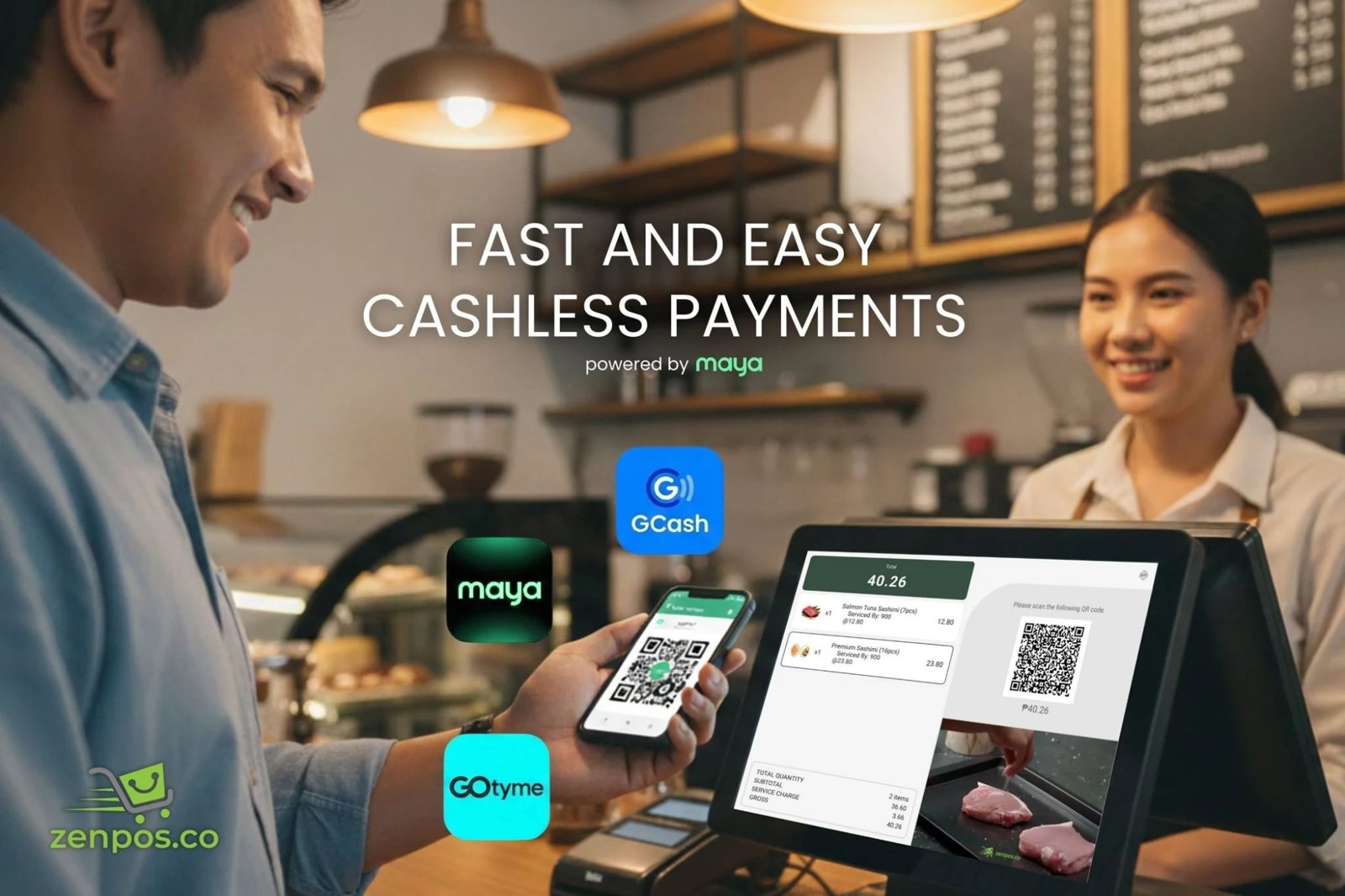
Customer paying by QR with GCash, Maya or GoTyme at the POS
FREE

Maya QR Payments

The POS terminal shows a QR code, the customer pays with their e-wallet or bank app.

You need this ifCustomers ask to pay with GCash, Maya or their bank app.
  • QR Ph, so most e-wallets and banks work
  • Payment confirmed on the POS, no screenshots
What you gainNo fake payment screenshots, and less cash to count.
Included
with every POS plan
Maya transaction fees apply
POS terminal
₱450.00
)))
FREE

Card Payments

Your card terminal is connected to the POS, so the amount is sent for you.

You need this ifYou type the sale total into the card terminal by hand, or check card payments against the bank later.
  • No typing the amount twice
  • The approval prints on the receipt
What you gainNo wrong amounts keyed in, and card sales match your bank.
Included
POS connection included
card terminal and bank account needed
Everything at a glance

One POS plan. Add only what you need.

POS StarterBasic cashiering, 1 user, 4 hours training
POS EnterprisePlus inventory, purchasing, web QR, 3 users, 8 hours

F&B

Web QR (on Starter)
Click & Collect
Self-Service Kiosk
Self-Service Screen
Smart WiFi
Tablet Ordering
Bookings & Queue

Retail

Loyalty
Self-Checkout
Online Store
Marketplace Import
Orders & Collection

Industry

Parking System
POS for Gasoline Station
Mall Tenant System

Integration

BIR e-Invoicing
Mall GTO sending
ERP Integration
AI Integration
[email protected]0917-639-7020
See it all working together

One system. Every part of your store.

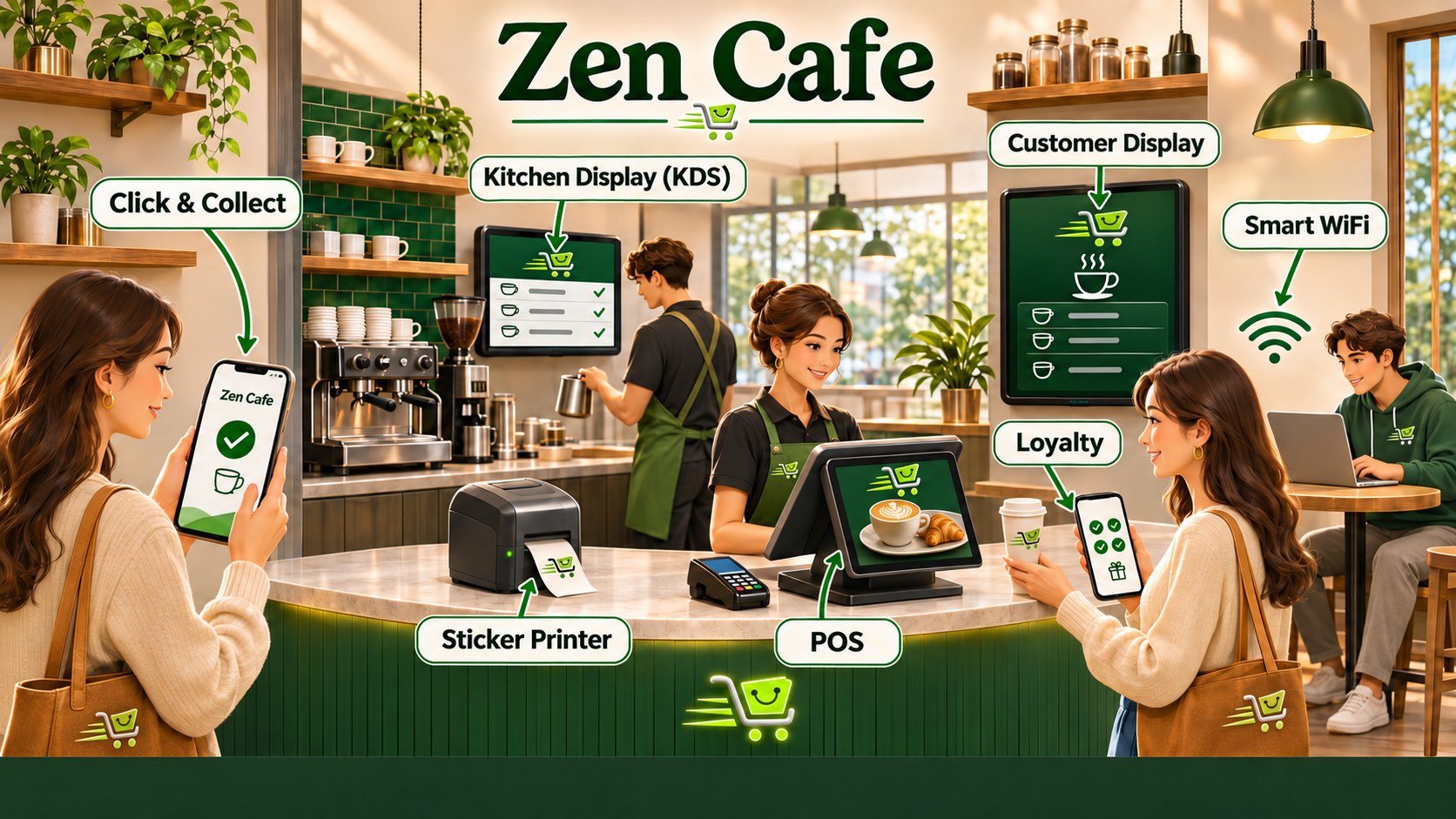
Five example stores, each running on one zenpos.co system. Find the one that looks like yours.
Zen CafeZen Cafe
Zen RestoZen Resto
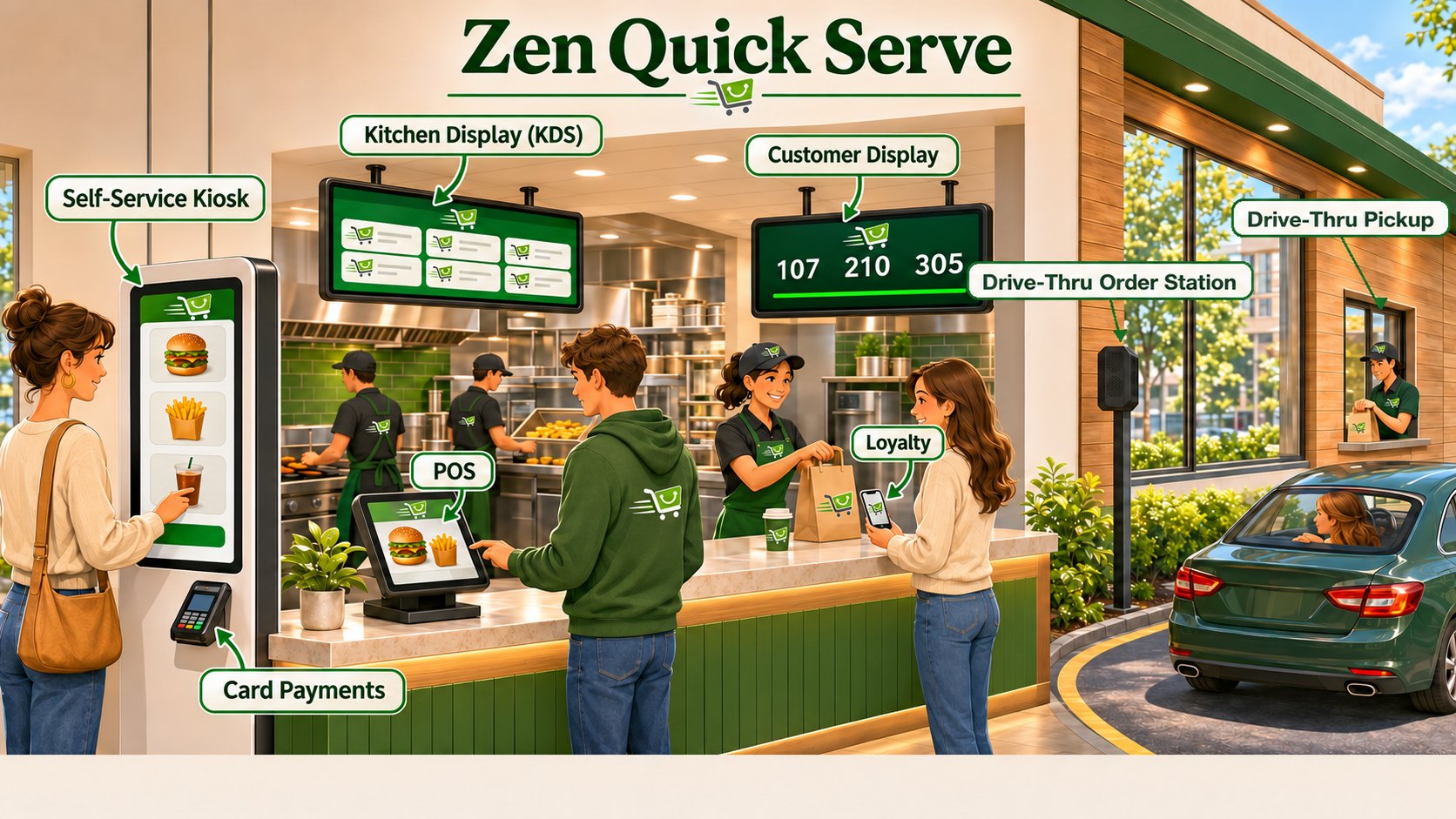
Zen Quick ServeZen Quick Serve
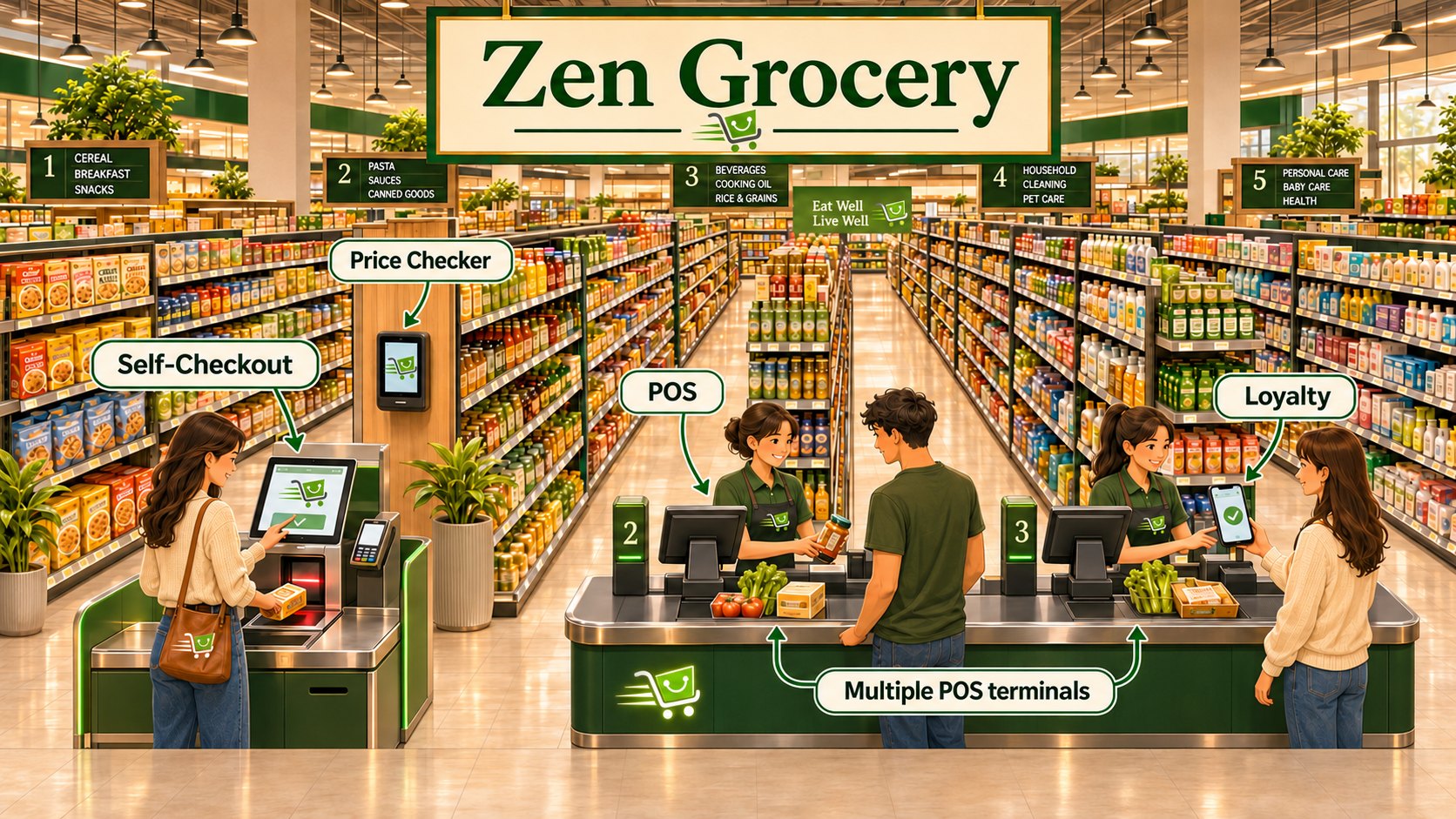
Zen GroceryZen Grocery
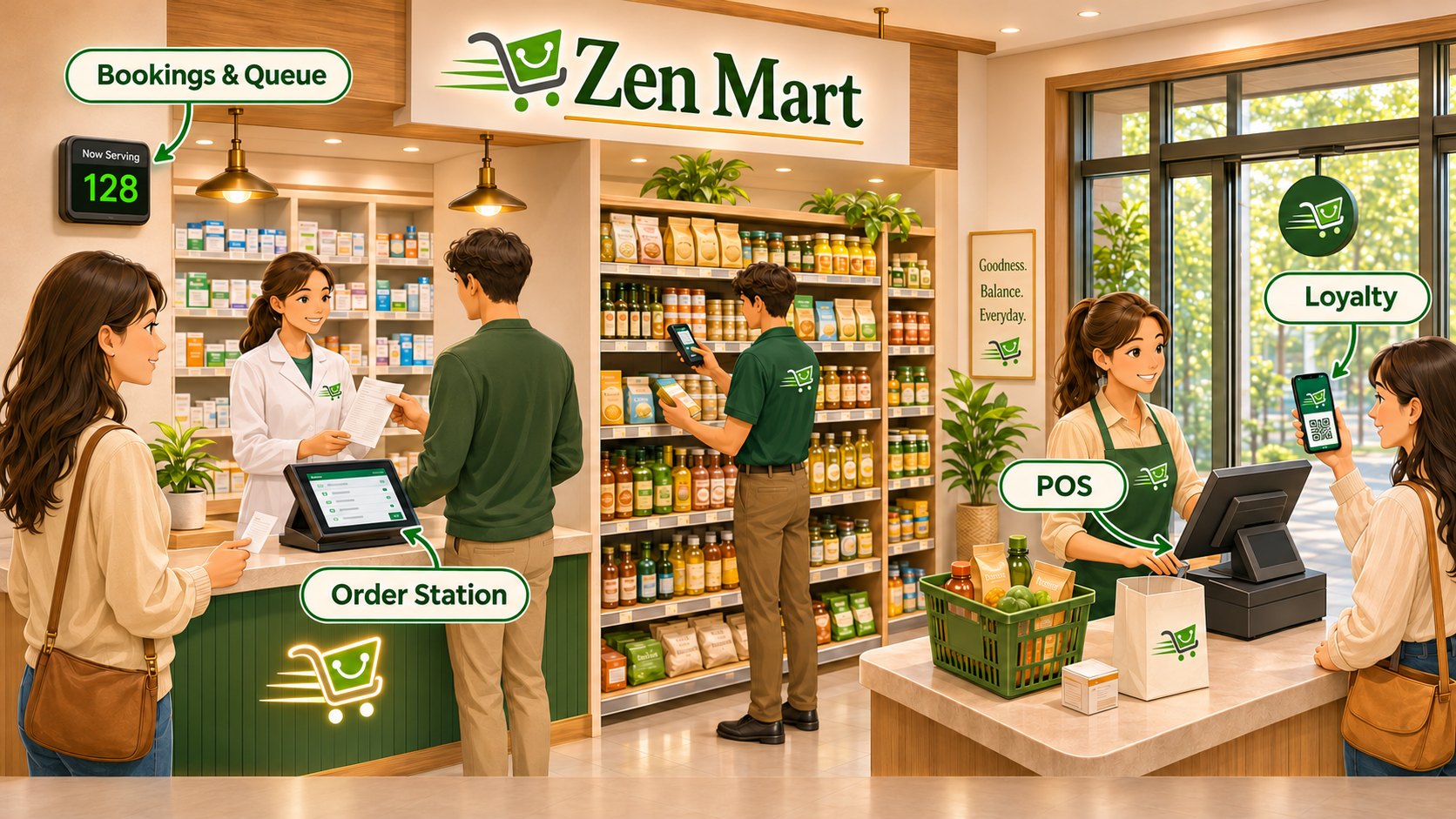
Zen MartZen Mart
Zen Cafe: how the zenpos.co products work together in one store
Zen CafePhone orders go straight to the kitchen screen. Customers watch for their number, collect loyalty stamps and get WiFi with their coffee.
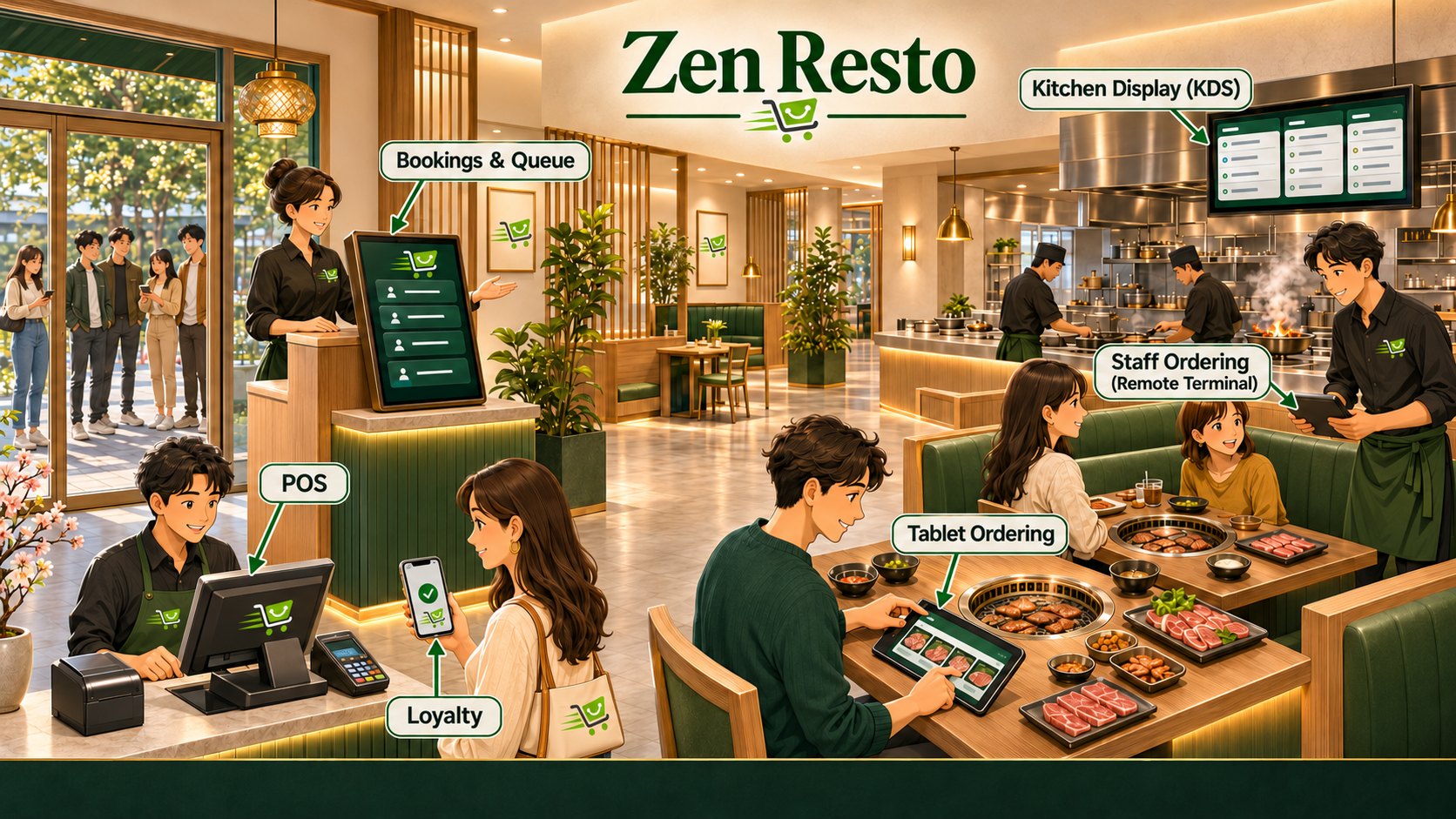
Zen Resto: how the zenpos.co products work together in one store
Zen RestoGuests book or join the queue, order from the tablet at their table or from the waiter, and the kitchen sees every order.
Zen Quick Serve: how the zenpos.co products work together in one store
Zen Quick ServeKiosks, the counter and the drive-thru feed one kitchen screen, and the customer display calls each number.
Zen Grocery: how the zenpos.co products work together in one store
Zen GrocerySelf-checkout, several POS terminals and a price checker, all working from one product list.
Zen Mart: how the zenpos.co products work together in one store
Zen MartQueue numbers at the order station, and loyalty points at the POS.
zenpos.co

Talk to us

Start with a POS plan. Add products when you need them.

Metro Manila0917-639-7020
Metro Cebu0917-639-7020
Metro Davao0915-807-2166
Email[email protected]
Webwww.zenpos.co
Office2F MY Center, AS Fortuna, Cebu City